
Advanced Contact Forms
The Problem with Traditional Forms
Traditional quote forms often fail because they:
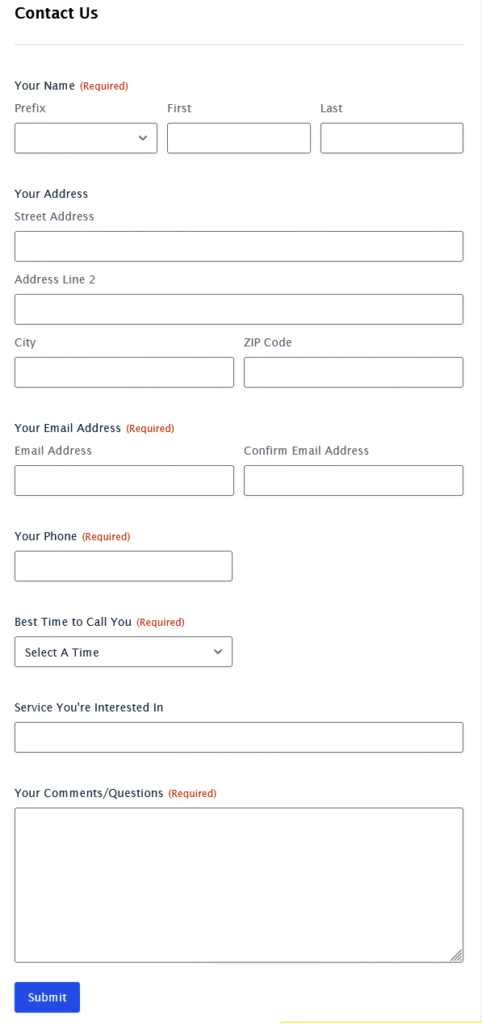
It Feels Like Work
Traditional forms dump 15+ fields on prospects all at once. By question 8, they’re wondering if this is worth the effort.
It’s Full of Distractions
Your form sits on a busy page with navigation menus, sidebars, and other links. One click and your prospect is gone forever.
It Doesn’t Build Confidence
Static forms don’t address concerns or demonstrate why prospects should choose you over competitors browsing in another tab.
It Ignores Drop-Offs
When someone abandons your form, they’re gone. No second chances, no alternative ways to engage.
Result: You’re losing qualified prospects who were interested enough to start requesting a quote but got frustrated with the process.
Introducing Advanced Quote Forms That Actually Convert.

Skyrocket your form completion rate!
How Our Advanced Contact Forms Change Everything

Conversational Flow That Feels Natural
Instead of overwhelming prospects with a long form, we guide them through a conversation. One question at a time, with logical progression that feels like talking to a helpful expert.
Traditional form: “Fill out these 20 fields and we’ll get back to you”
Our approach: “Let’s start with the basics – what type of project are you planning?”
Lightbox Design Eliminates Distractions
When someone clicks your quote form, everything else disappears. No navigation menus, no sidebar links, no back button. Just a focused conversation between you and your prospect.
Result: 40-60% fewer form abandonments due to distractions.

Smart Drop-Off Recovery
When someone starts to leave your form, we detect it and offer alternatives:
- “Rather talk to someone now? Click to call”
- “Get a quick estimate with our cost calculator first”
- “Schedule a callback at a convenient time”
You capture leads even when the traditional form doesn’t work.
Built-In Social Proof and Selling Points
While prospects fill out your form, they see your best reviews, key credentials, and unique selling points. They’re not just requesting a quote – they’re being sold on why you’re the right choice.
Result: Higher-quality leads who are already pre-sold on your company.
What Your Prospects Experience
Confident Start
Clean, professional interface with your branding. First question is easy and relevant. Progress indicator shows this won’t take forever.
Natural Progression
Questions flow logically based on their previous answers. “Since you’re interested in a pool installation, what’s your property size?” feels much better than generic dropdowns.
Trust Building
Throughout the process, they see customer reviews, your certifications, years in business, and what makes you different. They’re not just giving you information – you’re earning their confidence.
Multiple Success Paths
If they complete the form: qualified lead with detailed project information.
If they hesitate: alternative options to stay engaged (call now, use calculator, schedule callback).
Either way, you win.
More leads. Better qualified. Higher close rates.
Key Features That Drive Results
Conversion-Optimized Design
▸Mobile-first responsive layout
▸Progress indicators to reduce abandonment
▸Smart field validation that prevents errors
▸Optimized button text and colors based on testing
Advanced Lead Qualification
▸Budget range collection without being pushy
▸Timeline and urgency identification
▸Decision-maker qualification
▸Project scope and complexity assessment
Industry-Specific Customization
▸Pre-built question flows for different contractor types
▸Relevant project options and service categories
▸Industry-appropriate qualifying questions
▸Custom branding that matches your website
Seamless Integration
▸Automatic lead delivery to your CRM or email
▸Real-time notifications for urgent requests
▸Integration with your existing follow-up systems
▸Analytics to track form performance
Setup Is Simple,
Results Are Immediate
Your new quote form can be capturing more leads within minutes.

1. Tell us where to send the leads
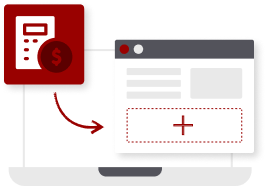
2. Add the apps to your website with a few clicks
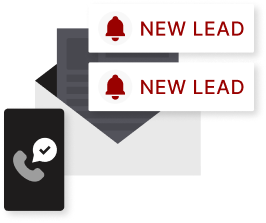
3. Watch the leads come in
Features That Drive Conversions
Clear progress bars show prospects how close they are to completion, reducing abandonment.
Forms adapt based on responses, only showing relevant questions to keep things streamlined.
Perfect experience on every device—critical since 60%+ of your prospects browse on mobile.